MPSC Group B Hall Ticket 2026 Download Process – Step-by-Step Guide
Download MPSC Group B Hall Ticket 2026 online. Get admit card details, exam date, download steps, important instructions and FAQs for candidates.
MPSC Group B Hall Ticket 2026 Download Guide: Step-by-Step Process for Candidates
Thousands of candidates are preparing for the Maharashtra Group B Combined Preliminary Examination 2026. As the examination date approaches, one of the most important documents every candidate needs is the MPSC Group B Hall Ticket.
The admit card serves as an entry pass to the examination center and contains important details such as the candidate's name, roll number, examination center, reporting time, and exam instructions.
If you have applied for the Maharashtra Group B Services Combined Preliminary Examination 2026 and are unsure how to download your hall ticket, this guide explains the complete process in simple language
What Is the MPSC Group B Hall Ticket?
The MPSC Group B Hall Ticket is an official document issued by the Maharashtra Public Service Commission (MPSC) to eligible candidates who have successfully submitted their applications.
Candidates must carry a printed copy of the admit card to the examination center. Entry to the examination hall may not be allowed without it.
How to Download MPSC Group B Hall Ticket 2026
Follow these steps to access your admit card:
Step 1: Visit the MPSC Online Portal
Open the official MPSC online application portal and log in using your registered credentials.
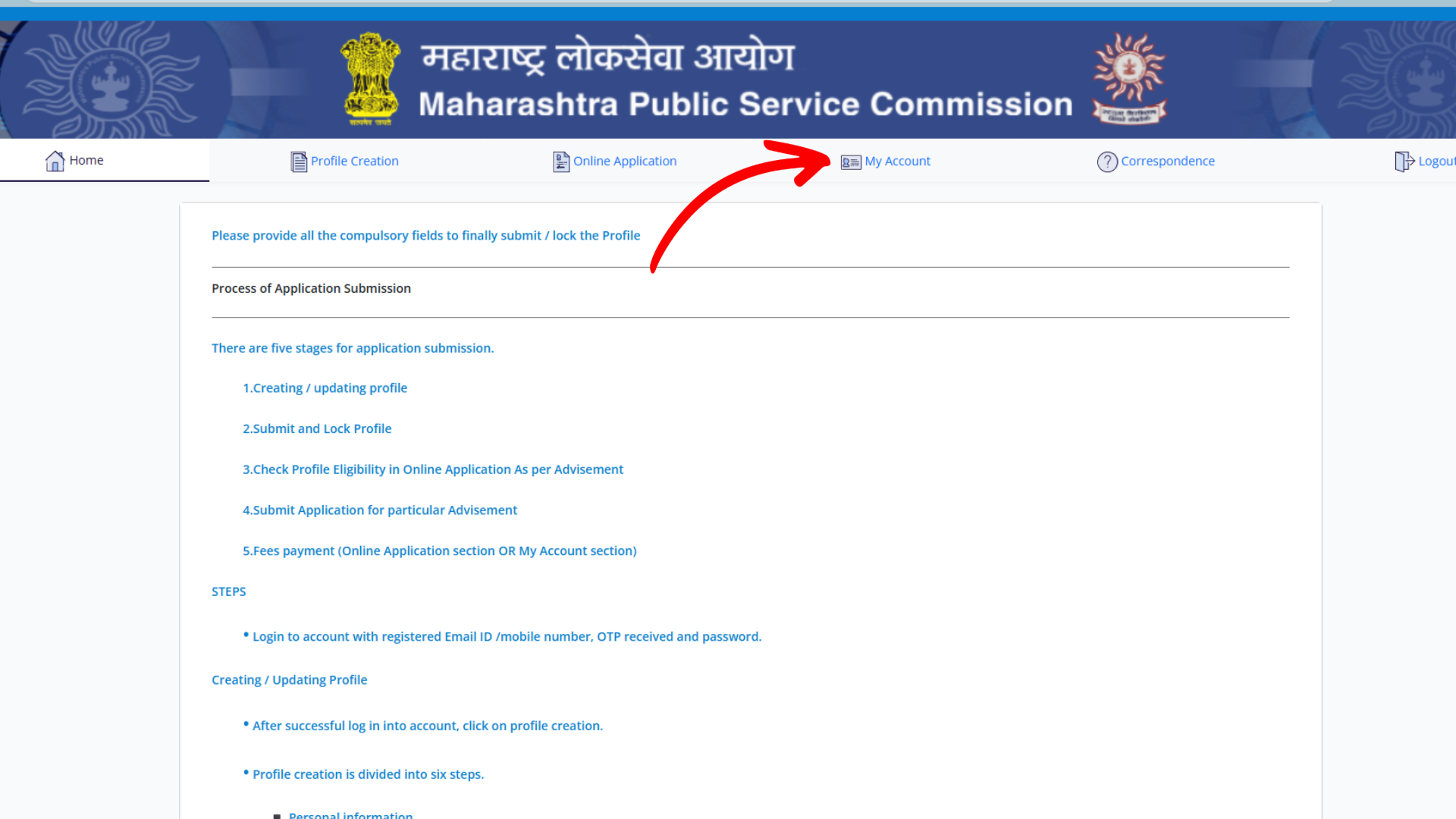
Step 2: Access Your Account
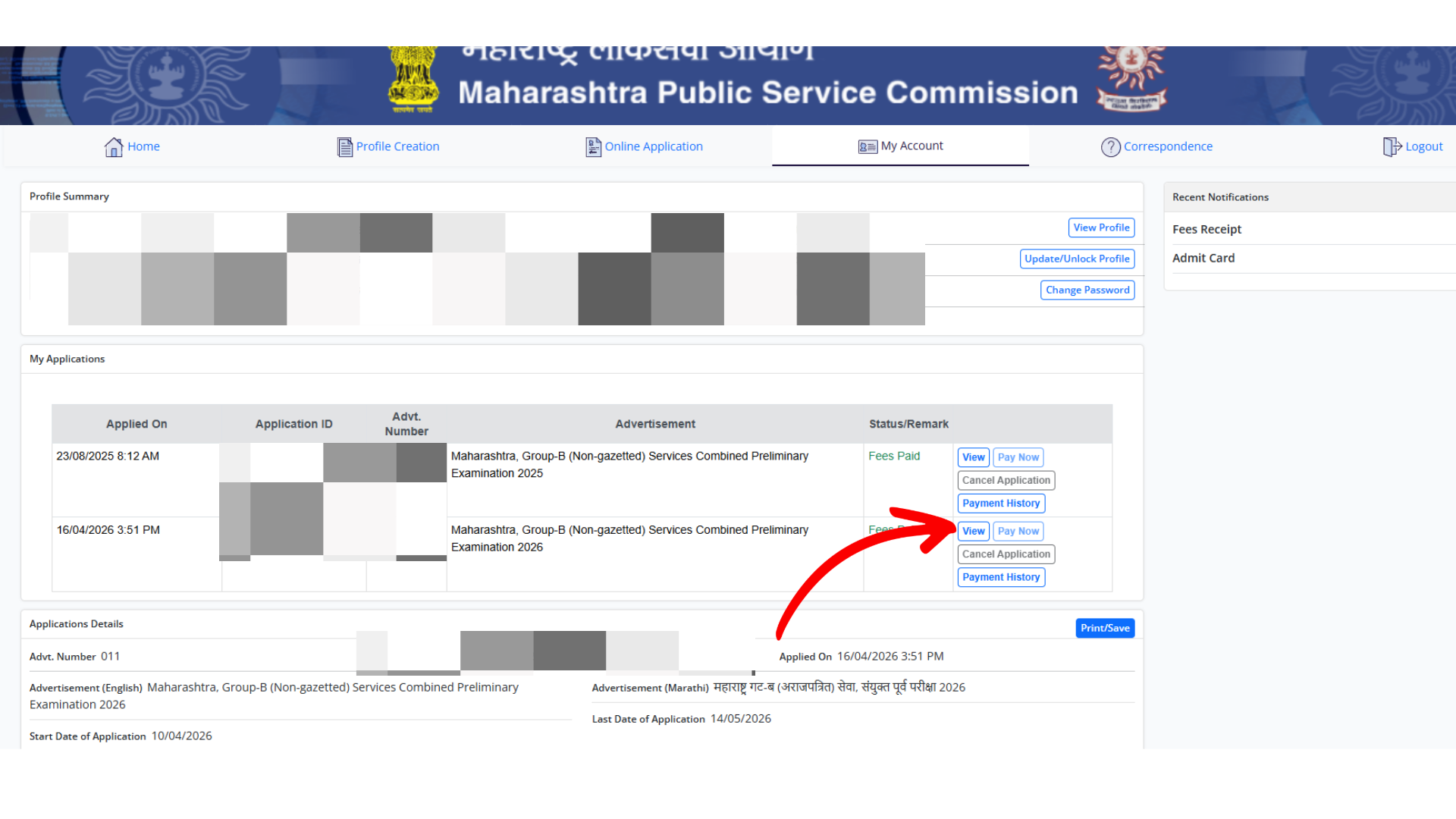
After logging in, navigate to the My Account section available on the dashboard.
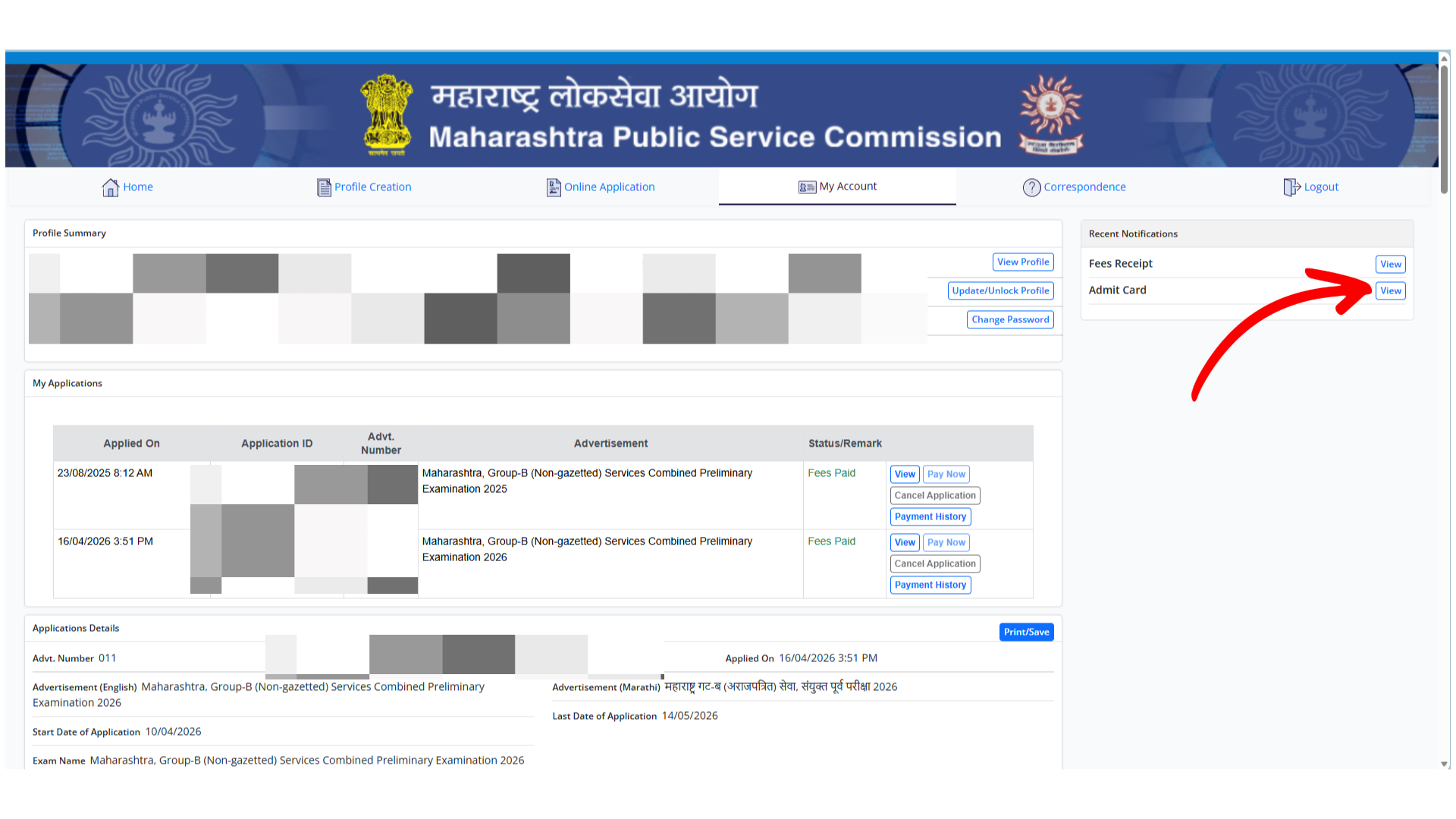
Step 3: Locate the Admit Card Option
On the right side of the account dashboard, look for the Recent Notifications section.
You should see an option labeled Admit Card.
Step 4: Click on View
Click the View button next to the Admit Card option.
Step 5: Download and Print
Once the hall ticket opens, download the PDF file and take a clear printout for examination day.
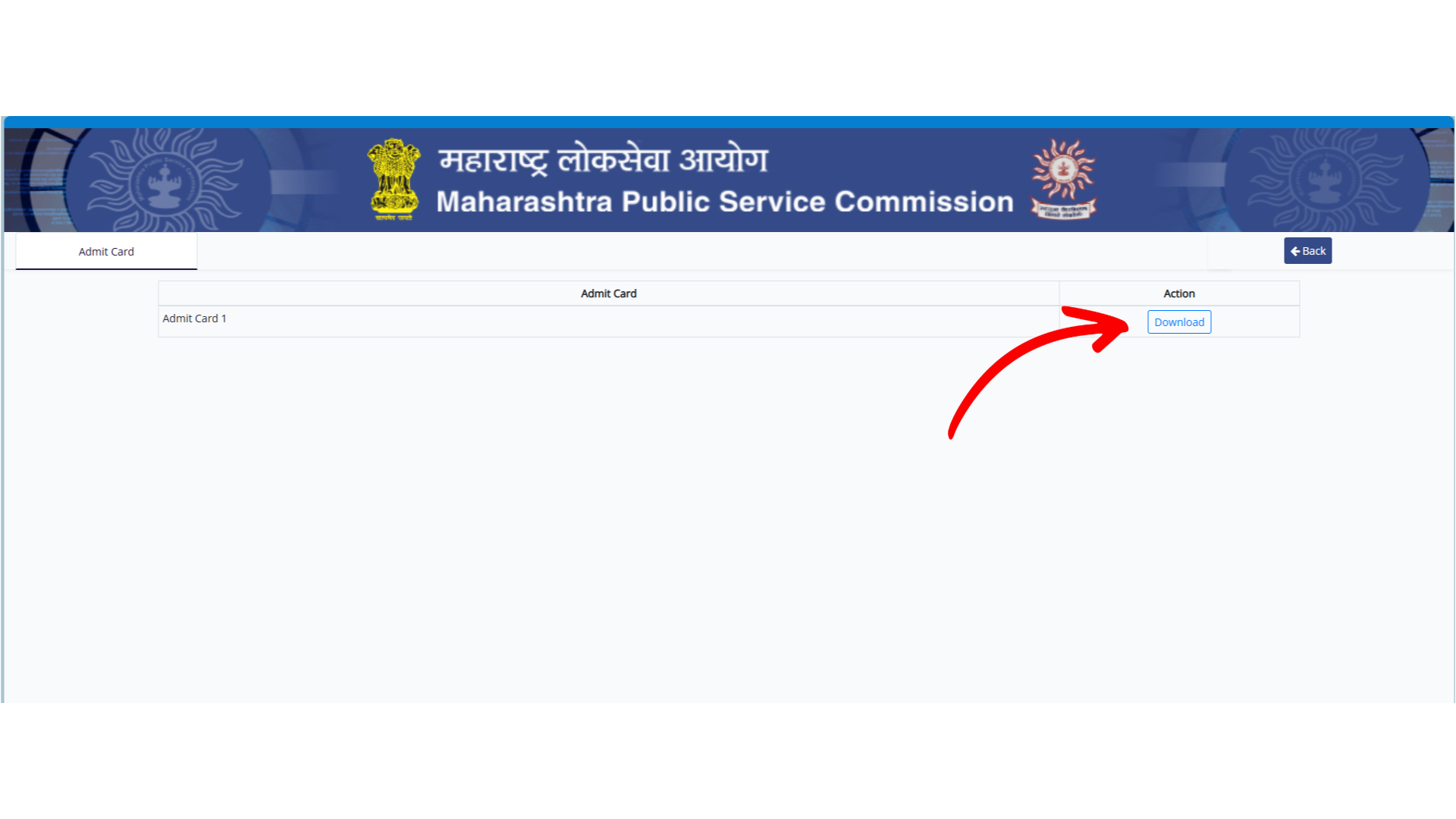
Details Available on the Admit Card
Candidates should carefully verify the following information after downloading the hall ticket:
Candidate Name
Application Number
Roll Number
Examination Name
Examination Date
Reporting Time
Examination Center Name
Examination Center Address
Candidate Photograph
Candidate Signature
Important Instructions
If any information appears incorrect, candidates should contact MPSC through official communication channels as soon as possible.
Common Reasons Why the Hall Ticket Is Not Visible
Many candidates log in and do not immediately find the admit card link. This can happen due to several reasons:
1. Browser Cache Issues
Sometimes the portal displays an older version of the page. Refreshing the page or clearing browser cache may resolve the issue.
2. Temporary Server Load
During peak periods, a large number of candidates attempt to download hall tickets simultaneously, which can temporarily affect visibility.
3. Incomplete Application Process
Candidates should verify that:
Their profile is complete.
The application was submitted successfully.
Examination fees were paid successfully.
4. Admit Card Release Schedule
Hall tickets may be released in phases. Candidates who cannot see the admit card immediately should check again after some time.
Important Documents to Carry on Exam Day
Along with the hall ticket, candidates should carry a valid photo identity proof such as:
Aadhaar Card
PAN Card
Voter ID Card
Driving License
Passport
Candidates should also carry any additional documents mentioned in the examination instructions.
Important Instructions for Candidates
Reach the examination center before the reporting time.
Carry a printed copy of the admit card.
Follow all instructions issued by MPSC.
Avoid carrying prohibited electronic devices.
Verify the examination center location in advance.
Frequently Asked Questions (FAQs)
Is the MPSC Group B Hall Ticket mandatory?
Yes. Candidates are generally required to present the hall ticket before entering the examination center.
Can I show the admit card on my mobile phone?
A printed copy is strongly recommended unless official instructions specify otherwise.
What should I do if I find an error on my hall ticket?
Contact MPSC through the official support channels immediately and seek clarification before the examination date.
Where can I find the admit card after logging in?
Candidates can usually find it under the Recent Notifications section inside the My Account dashboard.
Conclusion
Downloading the MPSC Group B Hall Ticket 2026 is a simple process once candidates log in to their MPSC account. The admit card can typically be accessed through the My Account section under Recent Notifications. Candidates should download it early, verify all details, and keep multiple printed copies ready before the examination day.
Written by
Jayesh Gavit
IT Engineer & Content Creator, JGblogs
IT engineer with a passion for technology and building things. Started JGblogs in 2026 to share information and make government schemes, jobs, and career guides accessible to every Indian — free, in their own language.
About the author →Article
Related articles
How to Apply for a Voter ID Card Online in 2026: Step-by-Step Guide for New Voters
4 June 2026·1,250 views