ChatGPT Features Explained: ChatGPT के हर जरूरी Tool की पूरी जानकारी
Deep Research, Codex, Image Generation, Memory, Projects, Voice और File Uploads समेत ChatGPT के हर जरूरी Feature को आसान भाषा में समझें। Real Examples के साथ जा
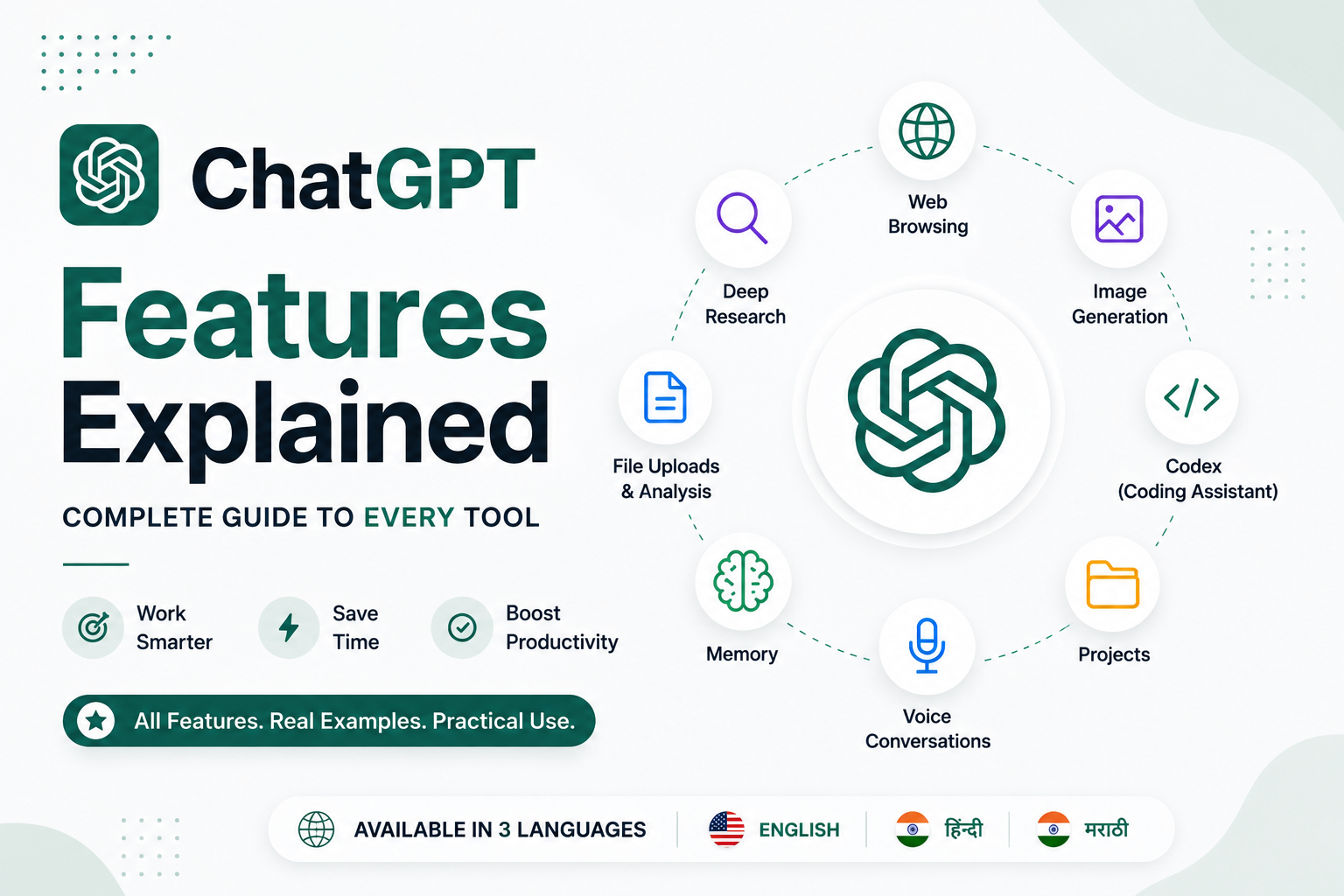
ChatGPT के Powerful Features जिन्हें आप शायद इस्तेमाल नहीं कर रहे हैं - Complete Guide
परिचय
जब ChatGPT पहली बार लॉन्च हुआ था, तब इसे मुख्य रूप से एक ऐसे AI चैटबॉट के रूप में जाना जाता था जो सवालों के जवाब दे सकता था और कंटेंट लिख सकता था। लेकिन आज ChatGPT सिर्फ इतना ही नहीं है।
आज का ChatGPT वेब ब्राउज़ कर सकता है, वास्तविक जैसी इमेज बना सकता है, PDF का विश्लेषण कर सकता है, डेवलपर्स को कोड लिखने में मदद कर सकता है, आपकी पसंद और प्राथमिकताओं को याद रख सकता है, लंबे समय तक चलने वाले प्रोजेक्ट्स को व्यवस्थित कर सकता है और Advanced AI Tools की मदद से गहराई से रिसर्च भी कर सकता है।
नए यूज़र्स के लिए यह थोड़ा भ्रमित करने वाला हो सकता है। कौन-सा फीचर कब इस्तेमाल करना चाहिए? Deep Research और सामान्य चैट में क्या अंतर है? क्या Codex सिर्फ प्रोग्रामर्स के लिए है? क्या ChatGPT वास्तव में Professional-quality images बना सकता है?
इस गाइड में हम ChatGPT के सबसे महत्वपूर्ण फीचर्स को आसान भाषा में समझेंगे, यह जानेंगे कि किस फीचर का इस्तेमाल कब करना चाहिए और ये फीचर्स पढ़ाई, काम, क्रिएटिविटी और समस्याओं को अधिक कुशलता से हल करने में आपकी कैसे मदद कर सकते हैं।
1. Web Browsing
शुरुआती AI चैटबॉट्स की एक बड़ी सीमा यह थी कि वे इंटरनेट पर उपलब्ध नवीनतम जानकारी तक आसानी से पहुंच नहीं सकते थे। Web Browsing इस समस्या को काफी हद तक हल करता है।
जब Web Browsing उपलब्ध होता है, तो ChatGPT इंटरनेट पर जानकारी खोज सकता है, भरोसेमंद वेबसाइट्स को पढ़ सकता है, अलग-अलग जानकारियों की तुलना कर सकता है और अपने जवाबों में हाल की अपडेट्स को शामिल कर सकता है।
इसका मतलब है कि ChatGPT केवल अपनी पहले से सीखी हुई जानकारी पर निर्भर नहीं रहता, बल्कि जरूरत पड़ने पर वर्तमान जानकारी का भी इस्तेमाल कर सकता है।
इसके लिए सबसे उपयोगी
नवीनतम समाचार
सरकारी नोटिफिकेशन
प्रोडक्ट की तुलना
टेक्नोलॉजी अपडेट्स
वर्तमान घटनाओं पर रिसर्च
उदाहरण
"नवीनतम iPhone और Samsung Galaxy मॉडल्स की तुलना करो।"
2. Deep Research
Deep Research ChatGPT के सबसे शक्तिशाली फीचर्स में से एक है।
यह केवल तुरंत एक छोटा जवाब देने के बजाय किसी विषय पर कहीं अधिक गहराई से रिसर्च करता है। यह कई स्रोतों से जानकारी खोज सकता है, अलग-अलग जानकारियों का विश्लेषण और तुलना कर सकता है और एक व्यवस्थित रिपोर्ट तैयार कर सकता है।
इसे आप इस तरह समझ सकते हैं: किसी क्लासमेट से जल्दी से किसी विषय की जानकारी पूछना एक सामान्य चैट जैसा है, जबकि किसी Research Assistant से पूरी रिपोर्ट तैयार करवाना Deep Research जैसा है।
इसके लिए सबसे उपयोगी
कॉलेज प्रोजेक्ट्स
बिज़नेस रिपोर्ट्स
मार्केट रिसर्च
प्रोडक्ट तुलना
Academic Learning
उदाहरण
सिर्फ यह पूछने के बजाय:
"सबसे अच्छा लैपटॉप कौन-सा है?"
आप पूछ सकते हैं:
"Programming students के लिए $1,000 से कम कीमत वाले सबसे अच्छे laptops पर रिसर्च करो। Performance, battery life, display और value for money की तुलना करो।"
इस तरह आपको सामान्य चैट के मुकाबले कहीं अधिक विस्तृत और व्यवस्थित परिणाम मिल सकते हैं।
3. Image Generation
ChatGPT अब Text Prompts की मदद से Original Images भी बना सकता है।
अगर आपको YouTube Thumbnail, Social Media Graphic, Logo Concept, Presentation Illustration, Poster या Realistic Artwork चाहिए, तो आपको बस यह बताना होता है कि आप कैसी इमेज चाहते हैं।
इसके अलावा, मौजूदा इमेज को भी एडिट किया जा सकता है—जैसे Background बदलना, किसी Object को हटाना, Quality बेहतर करना या नए Elements जोड़ना।
इसके लिए सबसे उपयोगी
YouTube Thumbnails
Blog Banners
Posters
Social Media Graphics
Product Mockups
Creative Artwork
उदाहरण
"Blue और White Colors का इस्तेमाल करके Python Tutorial के लिए एक Modern YouTube Thumbnail बनाओ।"
4. Codex
अगर आप Developer हैं, तो Codex ChatGPT के सबसे उपयोगी Tools में से एक हो सकता है।
यह केवल Programming से जुड़े सवालों के जवाब देने तक सीमित नहीं है। Codex Code लिखने, Errors को Debug करने, Projects को Review करने, अनजान Code को समझाने, Functions को Refactor करने और Unit Tests बनाने में भी मदद कर सकता है।
यह Python, JavaScript, TypeScript, Java, C++, Go, SQL और कई अन्य लोकप्रिय Programming Languages के साथ काम कर सकता है।
इसके लिए सबसे उपयोगी
Code लिखना
Bugs ढूंढना
Projects को समझना
Code Reviews
Refactoring
Programming सीखना
उदाहरण
आप एक React Project Upload करके पूछ सकते हैं:
"इस Application में Performance से जुड़ी समस्याएं खोजो और Improvements सुझाओ।"
Codex केवल समस्या को पहचानने तक सीमित नहीं रहता। यह यह भी समझा सकता है कि समस्या क्यों हो रही है और उसे बेहतर तरीके से कैसे हल किया जा सकता है।
5. File Uploads & Data Analysis
ChatGPT सिर्फ Text Conversations तक सीमित नहीं है।
आप PDF, Word Documents, Excel Spreadsheets, PowerPoint Presentations, CSV Files और अन्य Supported Formats को Analysis के लिए Upload कर सकते हैं।
मान लीजिए आपके पास 100 पेज की कोई Report है। उसे खुद पूरा पढ़ने के बजाय आप ChatGPT से उसका Summary बनाने, महत्वपूर्ण जानकारी Highlight करने, सवालों के जवाब देने या Spreadsheet Data से Charts बनाने के लिए कह सकते हैं।
इसके लिए सबसे उपयोगी
Research Papers
Annual Reports
Financial Data
Homework
Business Documents
6. Memory
Memory ChatGPT को अलग-अलग Conversations के बीच आपकी उपयोगी Preferences याद रखने में मदद करती है।
उदाहरण के लिए, यह आपकी पसंदीदा Writing Style, Favorite Programming Language या किसी बार-बार किए जाने वाले Project से जुड़ी जानकारी को याद रख सकता है। इससे भविष्य की Conversations आपके लिए अधिक Personalized हो सकती हैं।
आपका नियंत्रण बना रहता है और आप अपनी Saved Memories को Review, Edit या Delete कर सकते हैं।
इसके लिए सबसे उपयोगी
Long-term Projects
Personalized Writing
Consistent Coding Assistance
नियमित रूप से ChatGPT इस्तेमाल करने वाले Users
7. Projects
Projects ChatGPT के अंदर आपके काम को व्यवस्थित करने में मदद करते हैं।
अलग-अलग कामों की सभी Conversations को एक जगह रखने के बजाय आप अलग-अलग Goals के लिए अलग Workspaces बना सकते हैं—जैसे College Assignment, Startup Idea, Software Project या Content Strategy।
हर Project में उससे संबंधित Chats, Uploaded Files और Instructions को एक जगह रखा जा सकता है। इससे लंबे समय तक किसी काम को जारी रखना आसान हो जाता है।
8. Voice Conversations
कई बार बोलना Typing करने से ज्यादा तेज और आसान होता है।
Voice Mode की मदद से आप ChatGPT के साथ Natural Voice Conversation कर सकते हैं। यह Language Learning, Interview Preparation, Ideas Brainstorm करने या चलते-फिरते सवाल पूछने जैसे कामों के लिए उपयोगी हो सकता है।
इसका अनुभव एक सामान्य Chatbot से बातचीत करने के बजाय किसी Real Assistant से बात करने के ज्यादा करीब महसूस हो सकता है।
आपको कौन-सा Feature इस्तेमाल करना चाहिए?
आपका लक्ष्य | सबसे उपयोगी ChatGPT Feature |
|---|---|
नवीनतम जानकारी प्राप्त करना | Web Browsing |
Detailed Reports बनाना | Deep Research |
AI Images बनाना | Image Generation |
Programming करना | Codex |
PDFs को पढ़ना और समझना | File Uploads |
काम को व्यवस्थित करना | Projects |
Personalized Experience | Memory |
Hands-free बातचीत | Voice Mode |
अंतिम विचार
ChatGPT अब सिर्फ एक Chatbot नहीं रह गया है। यह एक Complete AI Workspace के रूप में विकसित हो चुका है।
चाहे आपको किसी विषय पर Research करनी हो, Images बनानी हों, Software लिखना हो, Documents का Analysis करना हो या Long-term Projects को Manage करना हो—ChatGPT में आपके काम को तेज और आसान बनाने के लिए अलग-अलग Features मौजूद हैं।
इन Tools को सीखने का सबसे अच्छा तरीका है कि शुरुआत छोटे और आसान Tasks से करें और धीरे-धीरे Advanced Features को Explore करें।
जैसे-जैसे आपकी जरूरतें बढ़ेंगी, आपको यह समझ आने लगेगा कि सही समय पर सही Feature का इस्तेमाल आपकी Productivity को काफी बेहतर बना सकता है।
Frequently Asked Questions
ChatGPT का सबसे अच्छा Feature कौन-सा है?
यह आपकी जरूरत पर निर्भर करता है। Students के लिए File Uploads और Deep Research काफी उपयोगी हो सकते हैं, जबकि Developers के लिए Codex अधिक उपयोगी हो सकता है।
क्या ChatGPT Images बना सकता है?
हाँ। ChatGPT Text Prompts की मदद से Original AI Images बना सकता है और मौजूदा Images को भी Edit कर सकता है।
ChatGPT Codex क्या है?
Codex ChatGPT का Coding Assistant है, जो Developers को अलग-अलग Programming Languages में Code लिखने, Debug करने, Review करने और Improve करने में मदद करता है।
Deep Research क्या है?
Deep Research एक Advanced Feature है जो किसी विषय पर Comprehensive Research करता है, कई Sources की जानकारी का Analysis करता है और Quick Answer के बजाय Detailed Report तैयार करता है।
क्या ChatGPT PDF Files का Analysis कर सकता है?
हाँ। आप PDFs, Spreadsheets, Presentations और अन्य Supported Documents को Upload कर सकते हैं। इसके बाद ChatGPT से उनका Summary बनाने, उन्हें समझाने या उनमें से महत्वपूर्ण जानकारी निकालने के लिए कह सकते हैं।
लेखक
Jayesh Gavit
IT इंजीनियर और कंटेंट क्रिएटर, JGblogs
टेक्नोलॉजी और नई चीज़ें बनाने के शौकीन IT इंजीनियर। 2026 में JGblogs की शुरुआत की — ताकि सरकारी योजनाएं, नौकरियां और करियर गाइड हर भारतीय तक उनकी भाषा में, मुफ्त पहुंच सकें।
लेखक के बारे में →लेख