ChatGPT Features Explained: ChatGPT मधील प्रत्येक महत्त्वाच्या Tool ची संपूर्ण माहिती
ChatGPT चे Deep Research, Codex, Image Generation, Memory, Projects, Voice आणि File Uploads हे Features Real Examples सह सोप्या मराठीत जाणून घ्या.
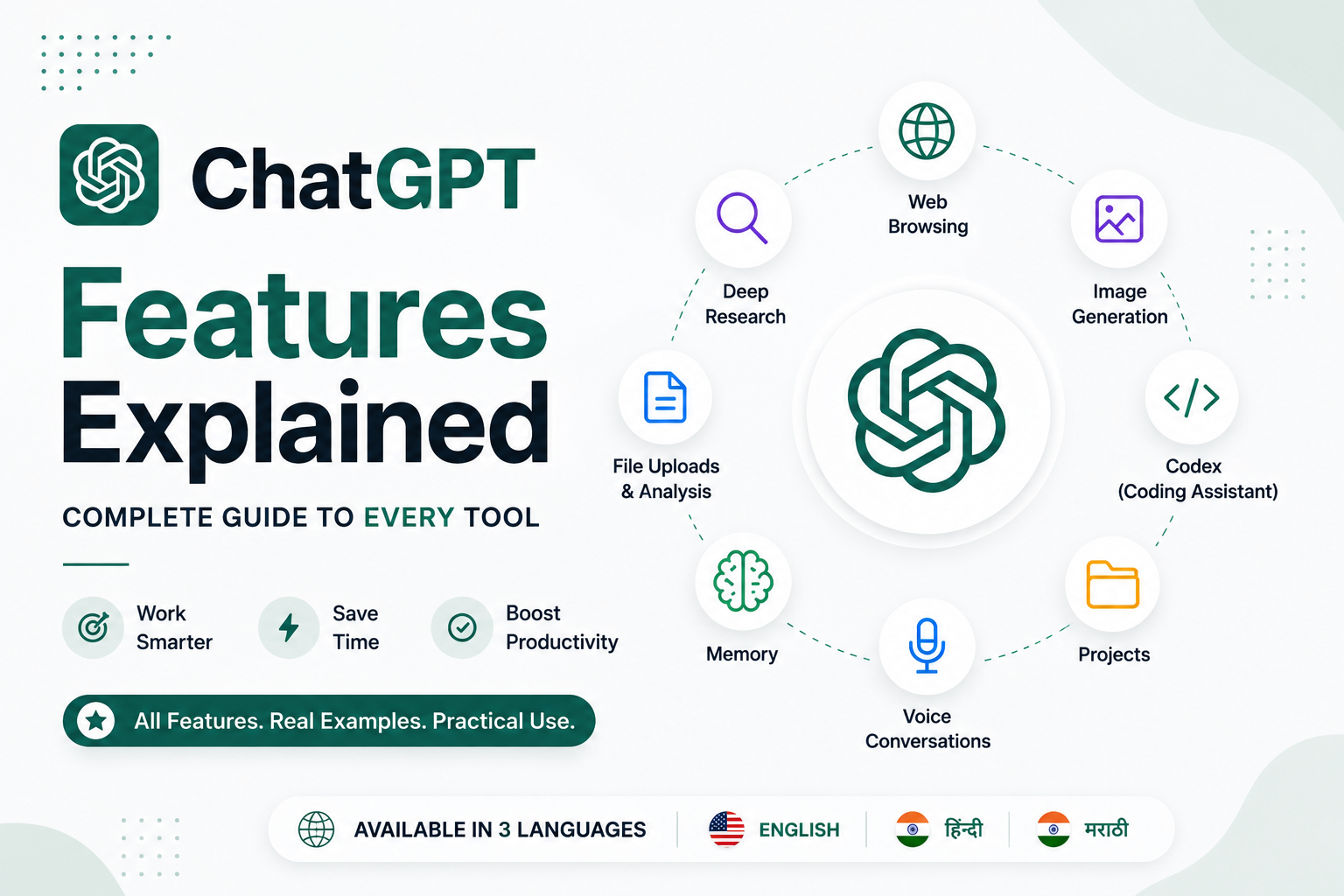
ChatGPT Features Explained: तुम्हाला माहित असायला हवेत असे प्रत्येक Tool
Introduction
ChatGPT पहिल्यांदा लॉन्च झाले तेव्हा ते मुख्यतः प्रश्नांची उत्तरे देणारा आणि Content लिहिण्यास मदत करणारा AI Chatbot म्हणून ओळखले जात होते. पण आज ChatGPT फक्त एक Chatbot राहिलेले नाही.
आजचे ChatGPT Web Browsing करू शकते, Realistic Images तयार करू शकते, PDFs चे Analysis करू शकते, Developers ना Code लिहिण्यास मदत करू शकते, तुमच्या Preferences लक्षात ठेवू शकते, Long-term Projects व्यवस्थित Organize करू शकते आणि Advanced AI Tools च्या मदतीने In-depth Research देखील करू शकते.
नवीन Users साठी हे थोडे Overwhelming वाटू शकते. कोणते Feature कधी वापरायचे? Deep Research आणि Normal Chat मध्ये काय फरक आहे? Codex फक्त Programmers साठी आहे का? ChatGPT खरंच Professional-quality Images तयार करू शकते का?
या Complete Guide मध्ये आपण ChatGPT चे सर्वात महत्त्वाचे Features सोप्या भाषेत समजून घेणार आहोत. प्रत्येक Feature कधी वापरायचे, ते कसे उपयोगी ठरू शकते आणि Study, Work, Creativity तसेच Problem Solving अधिक प्रभावीपणे करण्यासाठी त्याचा कसा वापर करता येतो हे पाहणार आहोत.
1. Web Browsing
सुरुवातीच्या AI Chatbots ची एक मोठी मर्यादा म्हणजे त्यांना Internet वरील नवीनतम माहिती Access करता येत नव्हती. Web Browsing ही समस्या दूर करण्यात मदत करते.
Web Browsing उपलब्ध असताना ChatGPT Internet वर Search करू शकते, Trusted Websites वाचू शकते, वेगवेगळ्या माहितीची तुलना करू शकते आणि आपल्या उत्तरांमध्ये नवीनतम Updates समाविष्ट करू शकते.
म्हणजेच ChatGPT फक्त त्याने आधी शिकलेल्या माहितीवर अवलंबून राहत नाही. आवश्यकतेनुसार ते Current Information चा देखील वापर करू शकते.
यासाठी सर्वात उपयुक्त
Latest News
Government Notifications
Product Comparisons
Technology Updates
Current Events वर Research
Example
"नवीनतम iPhone आणि Samsung Galaxy Models ची तुलना करा."
2. Deep Research
Deep Research हे ChatGPT मधील सर्वात Powerful Features पैकी एक आहे.
सामान्य Chat प्रमाणे लगेच छोटा Answer देण्याऐवजी Deep Research एखाद्या विषयाचा अधिक सखोल अभ्यास करते. ते अनेक Sources मधून माहिती Search करू शकते, वेगवेगळ्या Findings चे Analysis करू शकते, माहितीची तुलना करू शकते आणि एक Structured Report तयार करू शकते.
हे तुम्ही अशा प्रकारे समजू शकता: एखाद्या Classmate ला पटकन एखाद्या विषयाचे Explanation विचारणे म्हणजे Normal Chat, तर एखाद्या Research Assistant कडून Complete Report तयार करून घेणे म्हणजे Deep Research.
यासाठी सर्वात उपयुक्त
College Projects
Business Reports
Market Research
Product Comparisons
Academic Learning
Example
फक्त असे विचारण्याऐवजी:
"सर्वात चांगला Laptop कोणता आहे?"
असे विचारा:
"Programming Students साठी $1,000 पेक्षा कमी किमतीतील Best Laptops वर Research करा. Performance, Battery Life, Display आणि Value for Money यांची तुलना करा."
यामुळे तुम्हाला Standard Chat Response पेक्षा अधिक Detailed आणि Structured Result मिळू शकतो.
3. Image Generation
ChatGPT आता Text Prompts च्या मदतीने Original Images देखील तयार करू शकते.
तुम्हाला YouTube Thumbnail, Social Media Graphic, Logo Concept, Presentation Illustration, Poster किंवा Realistic Artwork हवे असेल, तर तुम्ही फक्त तुम्हाला नेमके काय हवे आहे ते Describe करा आणि ChatGPT ते तयार करू शकते.
तुम्ही Existing Images देखील Edit करू शकता. उदाहरणार्थ, Background बदलणे, Objects Remove करणे, Image Quality सुधारणे किंवा नवीन Elements Add करणे.
यासाठी सर्वात उपयुक्त
YouTube Thumbnails
Blog Banners
Posters
Social Media Graphics
Product Mockups
Creative Artwork
Example
"Blue आणि White Colors वापरून Python Tutorial साठी एक Modern YouTube Thumbnail तयार करा."
4. Codex
जर तुम्ही Developer असाल, तर Codex हे ChatGPT मधील सर्वात उपयुक्त Tools पैकी एक आहे.
Codex फक्त Programming Questions ची उत्तरे देण्यापुरते मर्यादित नाही. ते Code लिहिणे, Errors Debug करणे, Projects Review करणे, अपरिचित Code समजावून सांगणे, Functions Refactor करणे आणि Unit Tests तयार करणे यामध्ये मदत करू शकते.
हे Python, JavaScript, TypeScript, Java, C++, Go, SQL आणि इतर अनेक लोकप्रिय Programming Languages सोबत काम करू शकते.
यासाठी सर्वात उपयुक्त
Code लिहिणे
Bugs शोधणे
Projects समजून घेणे
Code Reviews
Refactoring
Programming शिकणे
Example
एक React Project Upload करून असे विचारा:
"या Application मधील Performance Issues शोधा आणि Improvements सुचवा."
Codex फक्त Problems शोधत नाही, तर त्या Problems का निर्माण होत आहेत हे देखील समजावून सांगू शकते आणि अनेकदा त्यासाठी Better Solutions सुचवू शकते.
5. File Uploads & Data Analysis
ChatGPT फक्त Text Conversations पुरते मर्यादित नाही.
तुम्ही PDFs, Word Documents, Excel Spreadsheets, PowerPoint Presentations, CSV Files आणि इतर Supported File Formats Analysis साठी Upload करू शकता.
समजा तुमच्याकडे 100 Pages चा Report आहे. तो पूर्णपणे स्वतः वाचण्याऐवजी तुम्ही ChatGPT ला त्याचा Summary तयार करण्यास, Important Information Highlight करण्यास, तुमच्या Questions ची उत्तरे देण्यास किंवा Spreadsheet Data मधून Charts तयार करण्यास सांगू शकता.
यासाठी सर्वात उपयुक्त
Research Papers
Annual Reports
Financial Data
Homework
Business Documents
6. Memory
Memory ChatGPT ला वेगवेगळ्या Conversations मधील तुमच्या Useful Preferences लक्षात ठेवण्यास मदत करते.
उदाहरणार्थ, ChatGPT तुमची Preferred Writing Style, Favorite Programming Language किंवा एखाद्या नियमित Project शी संबंधित माहिती लक्षात ठेवू शकते.
यामुळे भविष्यातील Conversations अधिक Personalized आणि तुमच्या गरजेनुसार होऊ शकतात.
तुमच्या माहितीवर तुमचे नियंत्रण राहते. तुम्ही Saved Memories कधीही Review, Edit किंवा Delete करू शकता.
यासाठी सर्वात उपयुक्त
Long-term Projects
Personalized Writing
Consistent Coding Assistance
नियमितपणे ChatGPT वापरणारे Users
7. Projects
Projects ChatGPT मध्ये तुमचे काम व्यवस्थित Organize करण्यास मदत करतात.
वेगवेगळ्या कामांच्या सर्व Conversations एकत्र ठेवण्याऐवजी तुम्ही वेगवेगळ्या Goals साठी स्वतंत्र Workspaces तयार करू शकता.
उदाहरणार्थ:
College Assignment
Startup Idea
Software Project
Content Strategy
प्रत्येक Project मध्ये संबंधित Chats, Uploaded Files आणि Instructions एकाच ठिकाणी ठेवता येतात.
यामुळे एखादे काम अनेक दिवस किंवा अनेक आठवडे सुरू ठेवणे आणि त्याच Context मध्ये पुढे काम करणे अधिक सोपे होते.
8. Voice Conversations
काही वेळा Typing करण्यापेक्षा बोलणे अधिक सोपे आणि जलद असते.
Voice Mode च्या मदतीने तुम्ही ChatGPT सोबत Natural Voice Conversation करू शकता.
हे Language Learning, Interview Preparation, Ideas Brainstorming किंवा तुम्ही प्रवासात असताना Questions विचारण्यासाठी विशेषतः उपयोगी ठरू शकते.
Traditional Chatbot वापरण्यापेक्षा Voice Conversation चा अनुभव एखाद्या Real Assistant सोबत बोलण्यासारखा वाटू शकतो.
कोणते ChatGPT Feature कधी वापरावे?
तुमचे Goal | Best ChatGPT Feature |
|---|---|
नवीनतम माहिती मिळवणे | Web Browsing |
Detailed Reports तयार करणे | Deep Research |
AI Images तयार करणे | Image Generation |
Programming करणे | Codex |
PDFs Study करणे | File Uploads |
काम Organize करणे | Projects |
Personalized Experience | Memory |
Hands-free Conversations | Voice Mode |
Final Thoughts
ChatGPT आता फक्त एक Chatbot राहिलेले नाही. ते एका Complete AI Workspace मध्ये विकसित झाले आहे.
तुम्हाला एखाद्या Topic वर Research करायची असेल, Images तयार करायच्या असतील, Software लिहायचे असेल, Documents चे Analysis करायचे असेल किंवा Long-term Projects Manage करायचे असतील—ChatGPT मध्ये तुमचे काम अधिक जलद आणि सोपे करण्यासाठी अनेक Features उपलब्ध आहेत.
ही Tools शिकण्याचा सर्वोत्तम मार्ग म्हणजे सुरुवातीला छोटी आणि सोपी कामे करून पाहणे आणि त्यानंतर हळूहळू Advanced Features वापरून पाहणे.
जसजशा तुमच्या गरजा वाढतील, तसतसे योग्य वेळी योग्य Feature वापरल्यामुळे तुमची Productivity किती मोठ्या प्रमाणात सुधारू शकते हे तुम्हाला जाणवेल.
Frequently Asked Questions
ChatGPT चे सर्वात चांगले Feature कोणते आहे?
हे तुमच्या गरजांवर अवलंबून आहे. Students साठी File Uploads आणि Deep Research विशेषतः उपयोगी ठरू शकतात, तर Developers साठी Codex अधिक उपयुक्त ठरू शकते.
ChatGPT Images तयार करू शकते का?
होय. ChatGPT Text Prompts च्या मदतीने Original AI Images तयार करू शकते आणि Existing Images देखील Edit करू शकते.
ChatGPT Codex म्हणजे काय?
Codex हे ChatGPT चे Coding Assistant आहे. हे Developers ना अनेक Programming Languages मध्ये Code लिहिणे, Debug करणे, Review करणे आणि Improve करणे यासाठी मदत करते.
Deep Research म्हणजे काय?
Deep Research हे ChatGPT चे Advanced Feature आहे जे Comprehensive Research करते, अनेक Sources मधील माहितीचे Analysis करते आणि Quick Answer ऐवजी Detailed Reports तयार करते.
ChatGPT PDF Files चे Analysis करू शकते का?
होय. तुम्ही PDFs, Spreadsheets, Presentations आणि इतर Supported Documents Upload करू शकता. त्यानंतर ChatGPT ला त्यांचा Summary तयार करण्यास, माहिती समजावून सांगण्यास किंवा त्यामधून आवश्यक माहिती Extract करण्यास सांगू शकता.
लेखक
Jayesh Gavit
IT इंजिनिअर आणि कंटेंट क्रिएटर, JGblogs
तंत्रज्ञान आणि नवीन गोष्टी तयार करण्याची आवड असलेले IT इंजिनिअर. 2026 मध्ये JGblogs सुरू केले — सरकारी योजना, नोकऱ्या आणि करिअर माहिती प्रत्येक भारतीयापर्यंत त्यांच्या भाषेत, मोफत पोहोचवण्यासाठी.
लेखकाबद्दल →लेख