Best free AI tools for students in 2026 — complete guide
Best free AI tools for students in 2026 — NotebookLM, ChatGPT, Gemini, Perplexity, Grammarly, Canva AI. What each does, who it is for, and how to start.
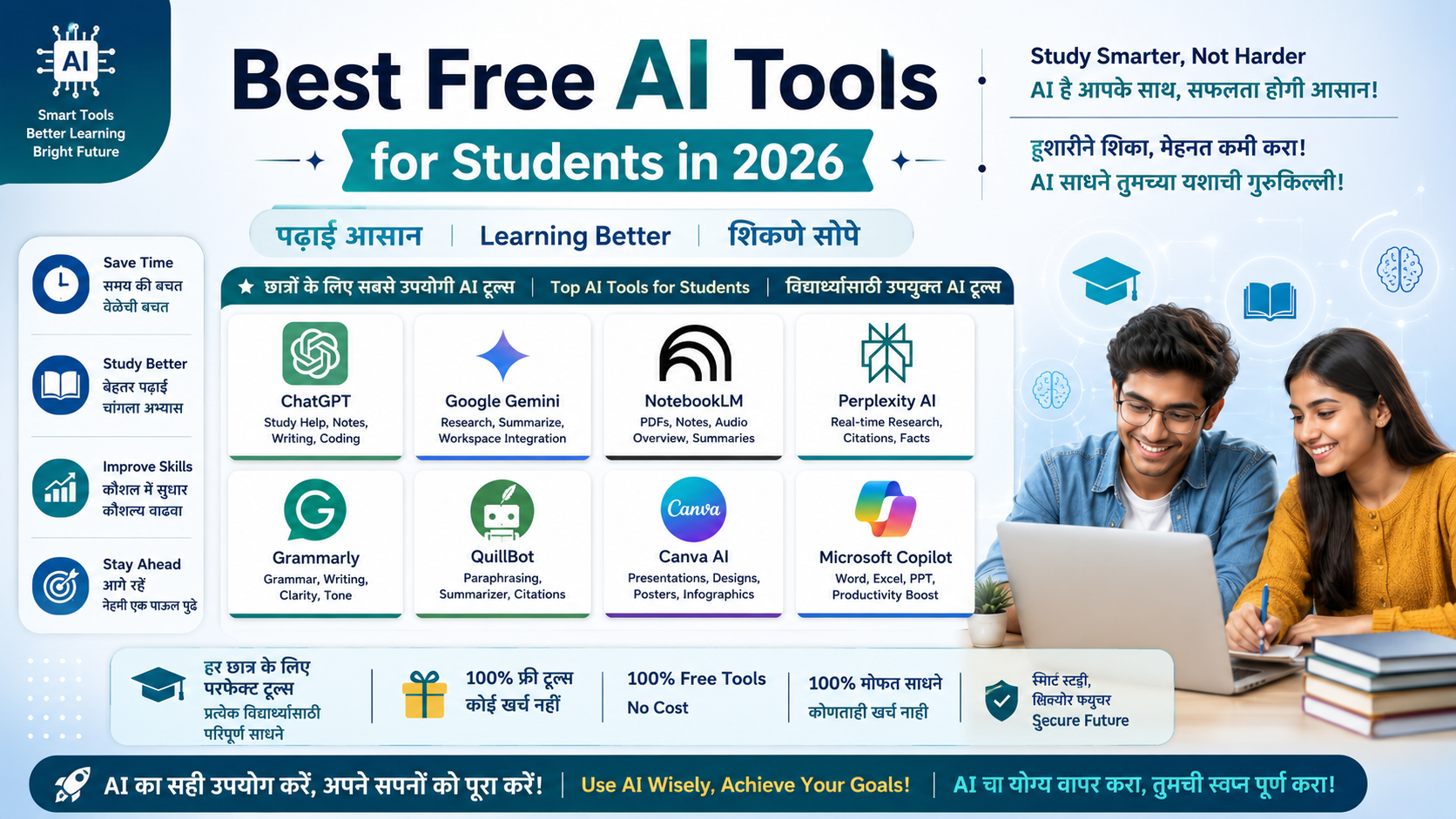
Studying in 2026 looks different from even two years ago. AI tools now handle note summarization, essay drafting, math problem solving, presentation building, and research — tasks that used to take hours now take minutes. The good news for students: most of these tools are genuinely free. This guide covers 8 verified free AI tools that every student should know in 2026, what each one does, and exactly when to use it.
1. Google NotebookLM — best AI tool for notes and PDFs
Website: notebooklm.google.com | Cost: Completely free
NotebookLM is the most underrated and most useful free AI tool for students in 2026. You upload your lecture notes, textbook PDFs, slides, or YouTube transcripts — and NotebookLM becomes an AI assistant trained only on those sources. Because it only works from what you upload, it does not hallucinate random citations.
What the free tier includes:
100 notebooks, 50 sources per notebook, 50 chats per day
Audio Overview — converts your notes into a podcast-style discussion you can listen to while commuting
Supports PDFs, slides, websites, and YouTube videos
Best for: Exam preparation, thesis research, summarizing dense textbook chapters, organizing knowledge for a course
2. ChatGPT — most popular AI study assistant
Website: chat.openai.com | Cost: Free tier available
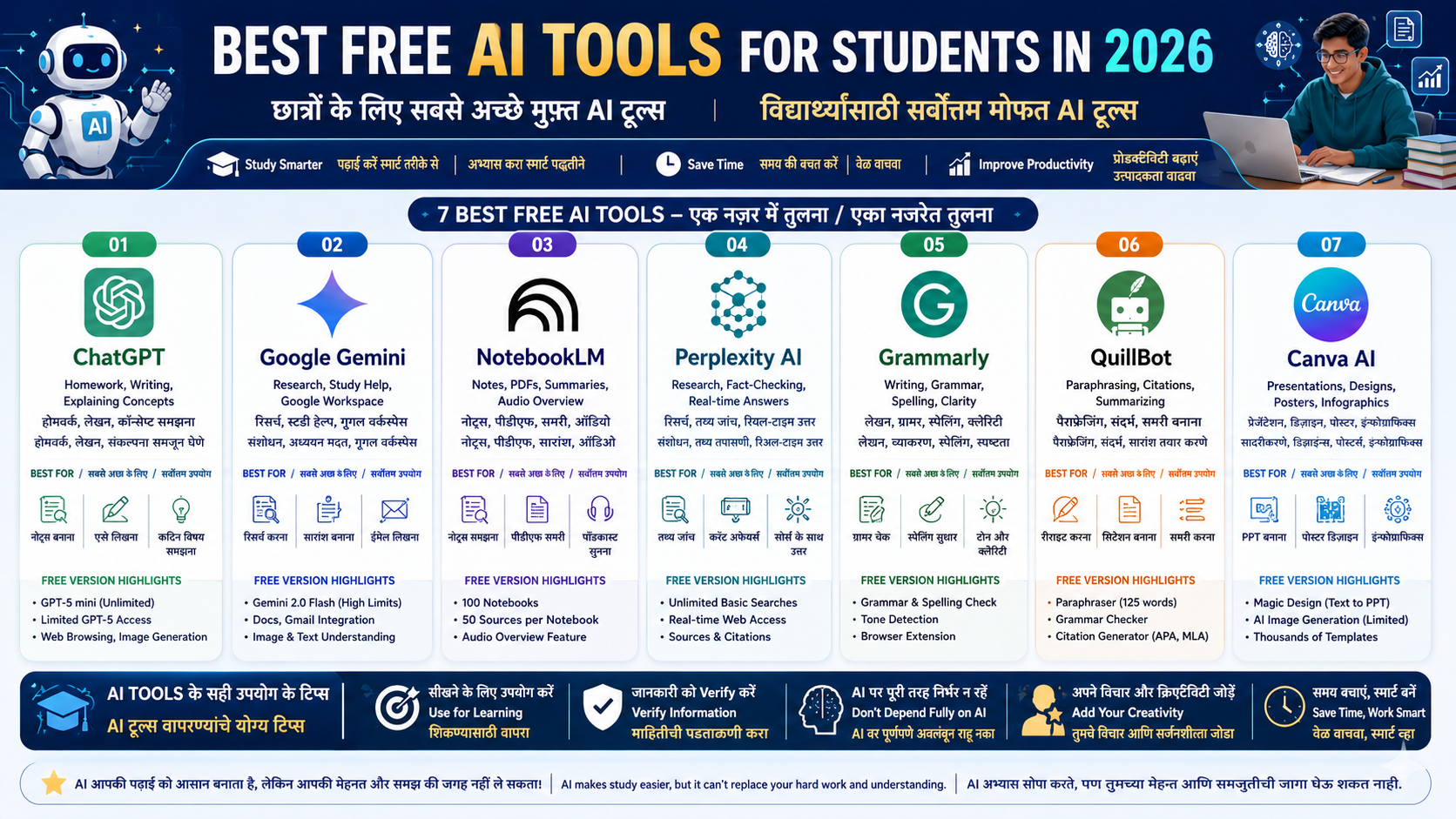
ChatGPT remains the most widely used AI tool for students in 2026. The free tier gives unlimited GPT-5 mini access and limited GPT-5 access per day. Explaining homework, drafting essays, simplifying complex topics, brainstorming ideas — ChatGPT handles all of these well.
What the free tier includes:
Unlimited GPT-5 mini access
Limited GPT-5 access daily
Basic voice mode
Web browsing and image generation (limited quota)
Best for: General homework help, essay writing, brainstorming, getting explanations in plain language
Tip: If your college provides a .edu email, check the ChatGPT Education plan — it may give free or discounted access to full GPT-5.
3. Google Gemini — most generous free AI model
Website: gemini.google.com | Cost: Free
Google Gemini's free tier is one of the most generous in 2026. Gemini 2.0 Flash has very high usage limits at no cost. Integration with Google Docs, Gmail, and Google Workspace is smooth and built-in.
What the free tier includes:
Gemini 2.0 Flash with high daily limits
Direct use inside Google Docs and Gmail
Image understanding and multimodal tasks
Limited Deep Research feature
For students: If your college provides a .edu email, check gemini.google/students for the student deal — may include Gemini Pro, NotebookLM Plus, and 2TB cloud storage.
Best for: Google Workspace users, multilingual tasks, research, quick reliable answers
4. Perplexity AI — research and fact-checking
Website: perplexity.ai | Cost: Free tier available
Perplexity AI is an AI-powered search engine that gives every answer with verified sources and citations. Instead of browsing 10 tabs to find reliable information, you ask a question directly and get a cited answer.
What the free tier includes:
Unlimited basic searches with real-time web sources
Citations included with every answer
File upload (limited)
Access to multiple AI models
Best for: Research paper sourcing, current affairs, fact-checking, finding verified data on any topic
5. Grammarly — writing and grammar improvement
Website: grammarly.com | Cost: Free tier available | Browser extension
Every student needs to write correct English for assignments, emails, and applications. Grammarly's free tier catches grammar, spelling, punctuation errors, and gives basic clarity suggestions. The browser extension works inside Google Docs, Gmail, and every text field on every website automatically.
What the free tier includes:
Real-time grammar and spelling checks
Tone detection
Basic clarity suggestions
Browser extension for all websites
Best for: Essays, application letters, emails, academic writing — anywhere you write in English
6. QuillBot — paraphrasing and citations
Website: quillbot.com | Cost: Free tier available
QuillBot is the most widely used tool for paraphrasing academic text and generating citations automatically. The free tier limits paraphrasing to approximately 125 words per request, but the citation generator is fully free with no limit.
What the free tier includes:
Paraphraser (approximately 125 words per request)
Grammar checker
Citation generator in APA, MLA, and Chicago format
Basic summarizer
Best for: Generating references for research papers, rewriting academic sentences in your own words
Important: Use QuillBot only to improve your own original writing. Using it to disguise AI-generated text in assignments is academic dishonesty — modern detection tools catch this.
7. Canva AI — presentations and visual design
Website: canva.com | Cost: Free tier available
Need a class presentation in 20 minutes? Type your topic into Magic Design and get a polished slide deck instantly. Canva's free tier is very generous with templates and basic AI features, though some AI tools hit limits faster.
What the free tier includes:
Magic Design — instant presentations from a text prompt
AI image generation (limited)
Thousands of free templates
Infographics, posters, resumes, social graphics
For students: Canva Education plan is free for colleges — check with your institution.
Best for: Class presentations, project infographics, posters, building a professional resume
8. Microsoft Copilot — free AI inside Word and Excel
Website: copilot.microsoft.com | Cost: Free with a Microsoft account
If your college provides Microsoft 365 access, Copilot is already built into Word, PowerPoint, and Excel at no additional cost. Free Copilot Chat runs on GPT-5 and is effectively unlimited for most student use.
What the free tier includes:
Copilot Chat — GPT-5 powered, effectively unlimited
Paragraph rewriting and document summarization in Word
Data analysis and formula explanation in Excel
AI-generated slides in PowerPoint
DALL-E image generation
Best for: Microsoft 365 users, document writing, Excel assignments, presentation building
Which tool for which task — quick reference
Task | Best tool |
|---|---|
Summarize notes and PDFs | NotebookLM |
Explain homework concepts | ChatGPT or Gemini |
Find verified facts for research | Perplexity AI |
Improve English writing | Grammarly |
Generate references and citations | QuillBot |
Build presentations and posters | Canva AI |
AI help inside Word and Excel | Microsoft Copilot |
The free AI tools available in 2026 are powerful enough that most students will never need a paid plan. NotebookLM combined with one free chatbot — ChatGPT or Gemini — covers 80% of what coursework requires. Pick one tool from this list today, try it on your next assignment, and build from there.
Frequently asked questions
Do AI tools count as cheating in exams and assignments?
Using AI to understand a concept, organize your notes, or improve your writing is not cheating — it is the same as using a tutor or a dictionary. Copying AI-generated text and submitting it as your own work without disclosure is academic dishonesty. Every institution has its own rules — check your college's academic integrity policy before using any AI tool in assessments.
Can Indian students use these tools in Hindi or regional languages?
Yes. ChatGPT, Gemini, and Perplexity all understand Hindi questions and can respond in Hindi. NotebookLM works with Hindi documents. Grammarly and QuillBot are primarily built for English writing and do not offer the same depth of support in other languages.
Which tool should a complete beginner start with?
Start with NotebookLM. Upload the notes from one subject you are currently studying, then ask it questions as if it were your teacher. It gives an immediately useful experience with zero learning curve. After that, pick one general chatbot — ChatGPT or Gemini — for everything else.
Written by
Jayesh Gavit
IT Engineer & Content Creator, JGblogs
IT engineer with a passion for technology and building things. Started JGblogs in 2026 to share information and make government schemes, jobs, and career guides accessible to every Indian — free, in their own language.
About the author →Article
Related articles
GPT-6 Astra: Everything You Need to Know About OpenAI’s New AI Model
6 September 2026·1,250 views